
How the 2026 Silverado 1500’s in-cabin tech and trailering tools fit real life around Upland, CA
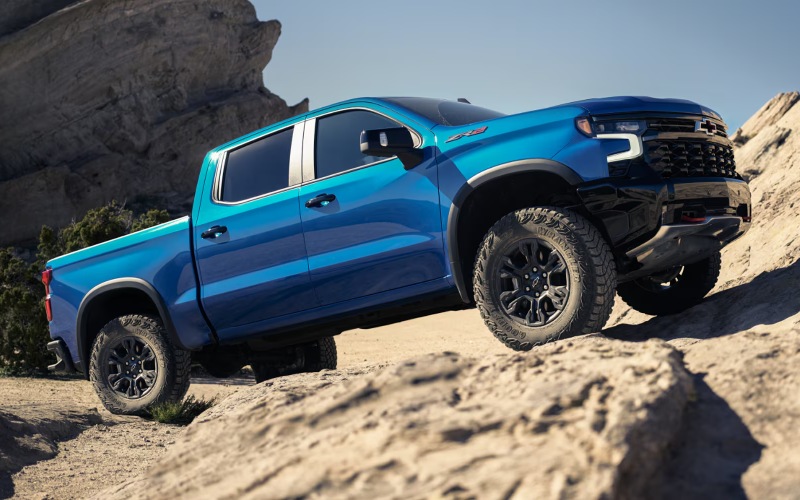
Orel Hershiser Chevrolet – How the 2026 Silverado 1500’s in-cabin tech and trailering tools fit real life around Upland, CA
The 2026 Chevrolet Silverado 1500 is packed with tech that is genuinely useful around Upland, CA—where many drivers split their time between Foothill Boulevard errands, quick freeway hops on the 210, and towing across varied terrain toward the San Gabriel foothills. This truck’s interface is straightforward, the camera coverage is extensive, and the integrated trailering tools reduce stress when space gets tight or crosswinds pick up on open stretches. Let’s dig into the details that help most in day-to-day driving and towing.
Inside the cabin: clear info, simple controls
The Silverado 1500 centers the experience around an available 13.4-inch touch-screen and 12.3-inch Driver Information Center that are easy to read in bright inland light. High-contrast graphics and a logical menu layout minimize taps, and common functions stay within reach through physical knobs and steering-wheel controls. Available Google built-in lets you use natural voice prompts for common tasks—finding an address off Baseline Road, adjusting cabin temperature, or placing a quick call as you head toward an appointment on Euclid Avenue. Wireless Apple CarPlay® and Android Auto™ keep your phone’s essentials always ready without a tangle of cables.
What stands out is how consistent the system feels while you are moving. The main tiles and submenus are predictable, and the speed of the interface helps you keep attention on traffic rather than on-screen hunting. If you are towing, you can keep an eye on transmission temp or a trailer profile on the center display while the 12.3-inch instrument cluster shows navigation prompts and lane guidance—a smart split of critical info that cuts down on screen juggling.
Trailering made practical—before you even move
Towing around Upland can be a mixed bag. One hour, you are backing into a narrow driveway off a side street; the next, you are merging onto the 210 with an enclosed trailer. The Silverado 1500’s In-Vehicle Trailering App tackles those transitions by letting you create custom trailer profiles. Assign a name, input connection details, and run a pre-departure checklist that helps confirm lights, brakes, and tire pressures.
Beyond setup, the app supports trailer maintenance logs and reminders—handy if you rotate between a utility trailer and a travel trailer throughout the year. Having those details at your fingertips means less second-guessing and fewer surprises when a longer weekend trip takes you through varied grades and wind conditions near the foothills.
Camera coverage where you need it
Up to 14 available camera views offer targeted visibility so you can place the truck and trailer precisely. Hitch Guidance shows a dynamic line to align the ball with your coupler, which is especially helpful if your driveway approach is off-angle. From there, Transparent Trailer View (when properly equipped and set up) can visually “see through” a compatible trailer to display vehicles or obstacles behind it, a confidence boost when changing lanes near busy interchanges.
- Hitch View: See the hitch and coupler clearly to reduce trial-and-error when connecting.
- Rear Top-Down: Helps you verify clearances around curbs and landscaping when backing into tight spots.
- Rear Side Views: Visualize the trailer’s sides as you turn, which is helpful on narrow residential streets.
- Front Camera: Check for parking stops or low obstacles after pulling into a short space.
When you need even more awareness, available HD Surround Vision provides a stitched top-down view that makes low-speed maneuvering feel intuitive—particularly useful in crowded lots along Foothill where a longer wheelbase can be tricky.
Feature focus: available Super Cruise® for highway towing
For longer runs on compatible divided highways, available Super Cruise®—even with a trailer—helps reduce fatigue by managing speed and steering while you keep your eyes on the road. Many drivers find this especially helpful on the I-15 or 210, where traffic ebbs and flows but speeds remain steady for long stretches. Super Cruise® will not replace attentive driving, but it can make those miles feel less taxing so you arrive fresher and better prepared to back into a tight campsite or jobsite.
Durabed usability—small touches that save time
The Durabed’s standard 12 tie-downs (rated at 500 lbs. per corner) and best-in-class standard cargo bed volume mean you can secure loads quickly without improvising anchor points. If you routinely carry tools or landscaping supplies around Upland, the available 120-volt outlet and spray-on bedliner are worthwhile additions. Pair it with the available Multi-Flex Tailgate and you can step up safely, extend support for longer materials, or use the fold-down work surface for a laptop and quick notes before your next stop.
Which trims fit this tech best?
Most camera and trailering features start with LT and above, giving you the 13.4-inch center display and 12.3-inch Driver Information Center that make these tools shine. RST adds a sporty look and access to the broad engine lineup. LTZ brings leather-appointed seating and more advanced safety features, while High Country offers the most premium interior touches along with available Super Cruise®. If off-road confidence matters as much as towing clarity, Trail Boss models deliver a factory 2-inch lift with Z71, and ZR2 adds Multimatic DSSV™ dampers and front and rear e-lockers for rugged routes beyond paved roads.
Frequently Asked Questions:
Can Super Cruise® be used while towing a trailer?
Yes. When properly equipped, available Super Cruise® works on compatible roads even while towing, providing hands-free driver assistance for steering and speed management. You should always remain attentive and ready to take control.
Which Silverado 1500 trims offer up to 14 camera views?
Up to 14 available camera views are offered on LT, RST, LT Trail Boss, LTZ, ZR2, and High Country when equipped with the appropriate technology packages.
Is the In-Vehicle Trailering App difficult to set up?
No. You create a trailer profile on the center touch-screen, add basic details, and you are ready to use checklists, maintenance reminders, and status updates. Our team can walk you through the setup at delivery.
Do I need the diesel to tow confidently around Upland?
Not necessarily. The TurboMax™ engine offers best-in-class 430 lb.-ft. of standard torque, and both V8s are capable towers. The Duramax® 3.0L Turbo-Diesel adds robust 495 lb.-ft. of torque and excellent highway efficiency, which many long-distance drivers value.
Will the camera views help in tight residential streets?
Yes. Views like Rear Top-Down and Rear Side help you see curbs, landscaping, and trailer angles, making slow-speed turns and back-ins more predictable on narrow streets.
From commute to campsite, the 2026 Silverado 1500’s in-cabin tech and trailering tools work together to reduce the friction points that make towing and loading stressful. Around Upland, where many trips combine surface streets, quick freeway jaunts, and tight parking, those features matter. Visit us to try the 13.4-inch interface, set up a sample trailer profile, and explore the available camera views on a short loop that mirrors your daily drive.
Orel Hershiser Chevrolet is here to help you match the right trim, tech, and towing setup to how you actually drive, serving Upland, Ontario, and Montclair with straightforward advice and hands-on demonstrations.
0 comment(s) so far on How the 2026 Silverado 1500’s in-cabin tech and trailering tools fit real life around Upland, CA